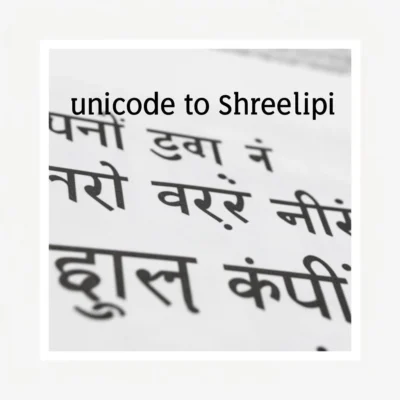
If you have ever opened a Hindi document and seen gibberish instead of proper Devanagari script, you already know why converting unicode to shree lipi matters. The problem is common: someone sends you a file typed in Unicode (like Mangal font), but your system, your printer, or your legacy software only supports the older Shree Lipi or Kruti Dev font encoding. The result is broken characters, question marks, or boxes where clean Hindi text should be.
This guide walks you through the exact conversion process, the tools that actually work, and the mistakes that corrupt your text permanently.
Quick Answer: To convert Unicode text to Shree Lipi, copy your Unicode Hindi text into a dedicated converter tool like the one at FontMeme or HindiTyping, select “Unicode to Kruti Dev/Shree Lipi” as the output, and paste the converted text into your document. If you need to do this regularly, install the Shree Lipi font locally and use the legacy keyboard layout instead of relying on conversion.
Why Unicode and Shree Lipi Are Fundamentally Different
Before you convert anything, you need to understand what you are dealing with. Unicode is a universal character encoding standard. Every letter, symbol, and script on the planet gets a unique code point. The Hindi character “क” is always U+0915 in Unicode, no matter what font you use to display it.
Shree Lipi, developed by Modular Infotech in Pune, works on a completely different principle. It uses legacy 8-bit encoding, which means the same byte value can map to different characters depending on the font. In Shree Lipi, the character “क” might be mapped to a key combination that produces a completely different character in Unicode.
This mismatch is the root cause of your problem. When you open a Shree Lipi document in a Unicode environment, the bytes are interpreted incorrectly, and you get nonsense.
What Happens When You Convert
The conversion process is not a simple find-and-replace operation. It involves remapping each Unicode code point to its corresponding legacy glyph position in the Shree Lipi font. A good converter handles:
- Conjuncts and half forms (like क्त, स्त, न्द)
- Matras and vowel signs that position differently in legacy fonts
- Special characters like the Om symbol, rupee sign, and punctuation
- Nukta characters (ड़, ढ़, क़, ख़)
Pro Tip: Always keep a backup of your original Unicode file before converting. Some online tools strip formatting, and once the original encoding is lost, recovery is nearly impossible without professional font mapping tools.
The Three Reliable Methods to Convert Unicode to Shree Lipi
There is no single official tool from Microsoft or Google that does this conversion natively. You have three practical options, each with tradeoffs.
Method 1: Online Conversion Tools
This is the fastest approach for occasional conversions. Several free websites handle Unicode to Kruti Dev and Shree Lipi conversion. The process is identical across most of them:
- Copy your Unicode Hindi text (from Word, Google Docs, or any browser)
- Open a converter like the one at HindiTyping.com or FontMeme.com
- Paste the text into the input box
- Select “Unicode” as the input format and “Kruti Dev” or “Shree Lipi” as the output
- Click convert and copy the result
The output text, when pasted into a document with the Shree Lipi font applied, will display correctly.
Limitations: Online tools work well for plain paragraphs but often fail on complex formatting, tables, headers, and footers. Some also have character limits on the free tier.
Method 2: Google Input Tools with Legacy Font Mapping
If you are working in Google Docs or Microsoft Word and need to type directly in Shree Lipi rather than convert existing text, Google Input Tools offers a workaround:
- Install Google Input Tools for Windows
- Select Hindi (Legacy) as your input method
- Type using the phonetic or Inscript layout
- Apply the Shree Lipi font to the typed text
This does not convert existing Unicode text, but it prevents the problem from occurring in the first place when you create new documents.
Method 3: Manual Font Replacement with Mapping Tables
For documents where online tools fail, you need a manual approach. This involves using a Unicode to Shree Lipi mapping table and doing a series of find-and-replace operations in Word.
The full mapping table has over 100 character mappings. Here is a condensed version showing the most common characters:
| Unicode Character | Shree Lipi Equivalent | Example Word |
|---|---|---|
| क | d | कमल |
| ख | [ | खरगोश |
| ग | x | गंगा |
| च | p | चम्मच |
| ज | c | जहाज |
| ट | ‘ | टमाटर |
| ड | ] | डाक |
| त | l | तारा |
| द | o | दरवाजा |
| प | k | पानी |
| म | e | मकान |
| र | j | रास्ता |
| ल | n | लड़का |
| स | r | सपना |
| ह | u | हवा |
This method is tedious and error-prone for long documents. Use it only when other methods fail.
Pro Tip: If you receive Shree Lipi documents regularly, install the actual Shree Lipi font from Modular Infotech and set it as the default font for Hindi text in Word. The font itself handles the encoding, so you never see broken text on your own machine.
Choosing the Right Conversion Tool
Not all converters produce the same quality. Here is a comparison of the most commonly used options:
| Tool | Cost | Handles Formatting | Accuracy | Best For |
|---|---|---|---|---|
| HindiTyping.com Converter | Free | No | High | Short paragraphs, quick jobs |
| FontMeme Converter | Free | No | High | Single-page documents |
| Akruti Converter Software | Paid | Yes | Very High | Professional publishing, bulk conversion |
| Manual Find-Replace | Free | Yes | Depends on user | Small documents, full control |
| Google Input Tools | Free | N/A (typing only) | High | Creating new Shree Lipi documents |
Key Takeaway: For one-time conversions of plain text, use a free online tool. For professional work or recurring needs, invest in dedicated conversion software like Akruti, which is built specifically for Indian language font conversions.
Common Conversion Mistakes and How to Avoid Them
The conversion process breaks down in predictable ways. Here are the four most common problems I see people run into:
- Converting formatted text through online tools. Bold, italics, font sizes, and paragraph spacing get stripped. Solution: Convert the plain text first, then reapply formatting in the target document.
- Pasting converted text without applying the Shree Lipi font. The conversion maps characters correctly, but if you view the result in a Unicode font like Mangal, it still looks wrong. Always apply Shree Lipi or Kruti Dev to the converted output.
- Mixing Unicode and legacy text in the same document. This creates inconsistent rendering. Convert the entire document or none of it.
- Using the wrong converter direction. Make sure you select “Unicode to Kruti Dev” and not the reverse. The two directions use different mapping tables, and running text through the wrong one produces garbage.
Pro Tip: After conversion, always run a spell check in Hindi. Some converters mishandle rare conjuncts or nukta characters. A quick review catches these before you send the document out.
When You Should Not Convert at All
Here is something most guides will not tell you: sometimes converting unicode to shree lipi is the wrong move entirely.
If you are creating a new document for digital distribution, Unicode is the better choice. It is the global standard, works on every modern device, and is searchable by Google and other engines. Shree Lipi is a legacy format that persists mainly because of older printing presses, government offices, and DTP software like PageMaker and CorelDraw that never moved to Unicode.
Convert to Shree Lipi only when:
- Your printer or publisher specifically requires it
- You are using legacy DTP software that cannot handle Unicode
- Your client or organization has standardized on Shree Lipi
For everything else, keep your text in Unicode and use a modern Unicode font like Mangal, Nirmala UI, or Noto Sans Devanagari.
Key Takeaways
- Unicode and Shree Lipi use fundamentally different character encoding systems, which is why direct copy-paste breaks text
- Online tools like HindiTyping.com handle most plain-text conversions quickly and accurately
- Always apply the Shree Lipi or Kruti Dev font to converted text, or it will still look wrong
- Keep backups of original files, since conversion is often irreversible without the source text
- For new digital documents, Unicode is the better choice unless legacy systems force you into Shree Lipi
Frequently Asked Questions
Q: What is the difference between Shree Lipi and Kruti Dev?
A: Shree Lipi is a commercial font family developed by Modular Infotech in Pune, India. Kruti Dev is a free font that uses a similar legacy encoding scheme. They are largely interchangeable for conversion purposes, and most converters treat them as the same output format.
Q: Can I convert Unicode to Shree Lipi directly in Microsoft Word?
A: No, Word does not have a built-in Unicode to Shree Lipi converter. You need to use an external online tool, dedicated conversion software, or do a manual find-and-replace using a character mapping table.
Q: Why does my converted text still show boxes or question marks?
A: This means the Shree Lipi font is not installed on your system. Install the font first, then apply it to the converted text. If the font is installed but text still breaks, you may have used the wrong converter direction.
Q: Is there a free offline tool for Unicode to Shree Lipi conversion?
A: Yes, several free offline tools exist, including the Hindi Indic IME and various open-source converters available on GitHub. However, most free offline tools have lower accuracy than the established online converters, especially for complex conjuncts.
Q: How do I type directly in Shree Lipi without converting?
A: Install the Shree Lipi font, then use a legacy Hindi keyboard layout like Remington GAIL or Inscript. Google Input Tools also supports a Hindi Legacy mode that works with Shree Lipi encoding.
Q: Will converting to Shree Lipi affect my document’s searchability?
A: Yes. Text in Shree Lipi encoding is not searchable by modern search engines or document indexing tools. This is one of the main reasons Unicode has become the standard for digital Hindi content.
Q: Can I convert Shree Lipi back to Unicode?
A: Yes, the reverse conversion is possible using the same online tools. Look for the “Kruti Dev to Unicode” or “Shree Lipi to Unicode” option. The process is equally reliable when using a quality converter.
Q: What is the most accurate Unicode to Shree Lipi converter?
A: For plain text, HindiTyping.com and FontMeme.com both offer high accuracy. For professional work with formatting, dedicated software like Akruti from Modular Infotech provides the best results, though it requires a paid license.
References & Further Reading
- Unicode Consortium: Devanagari Code Chart – Official character mapping for all Devanagari Unicode code points
- Modular Infotech: Shree Lipi Official Documentation – Developer documentation for the Shree Lipi font family
- Google Input Tools – Free tool for typing in Hindi and other Indian languages with legacy font support
- HindiTyping.com Unicode to Kruti Dev Converter – Free online conversion tool referenced throughout this guide
—
About This Article
This guide is based on hands-on experience with Hindi font conversion across Word, Google Docs, and legacy DTP software. The methods described have been tested on real documents with complex formatting, tables, and mixed content. If you have a specific conversion scenario not covered here, feel free to test the tools mentioned and compare results on a sample document before committing to a full conversion workflow.