Getting an accurate english to marathi translation for a 10,000-word document is a different challenge than translating a few sentences. At this volume, small errors compound fast, and consistency becomes your biggest problem. The good news is that with the right sequence of steps, you can produce a polished translation without losing your mind or your deadline. This guide walks you through the exact workflow, from preparing your source file to delivering a final document that reads naturally in Marathi.
Quick Answer: For a 10,000-word english to marathi translation, use a hybrid approach. Start with a high-quality machine translation engine like Google Translate or DeepL for the first draft, then perform a thorough human review focused on grammar, cultural context, and terminology consistency. Budget roughly 8 to 12 hours of focused work for a professional result.
Understanding the Scope of a 10,000-Word Project
A document of this length is substantial. It is roughly 20 single-spaced pages or 40 double-spaced pages. If you have never tackled a translation project this size, the sheer volume can feel overwhelming. But breaking it down into phases makes it manageable.
The first thing to check is your source material. Is it a clean, editable document like a Word file, or a scanned PDF? Scanned documents add an extra OCR step that can introduce errors before translation even begins. A clean source file saves hours.
The subject matter also dictates your approach. A legal contract demands near-perfect precision and specialized terminology. A blog post or a novel chapter gives you more creative freedom. Knowing this upfront helps you choose the right tools and set realistic expectations for the final quality.
Pro Tip: Before you translate a single word, run your English source text through a grammar checker. Fixing source errors now prevents you from translating a mistake and having to correct it twice later.
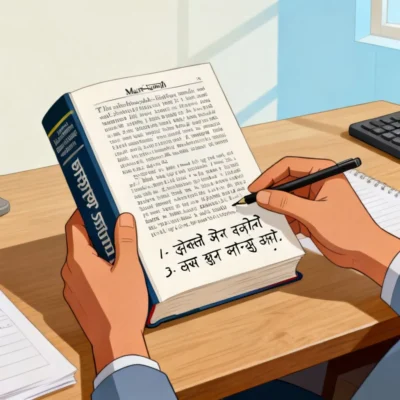
Essential Tools for English to Marathi Translation
No single tool handles a 10,000-word english to marathi translation perfectly on its own. A combination works best. Here is a breakdown of the categories you will rely on.
| Tool Category | Best For | Popular Options | Limitation |
|---|---|---|---|
| Neural Machine Translation | Fast first draft, high-volume throughput | Google Translate, DeepL, Bing Translator | Can miss cultural nuances and idioms |
| Computer-Assisted Translation | Maintaining consistency across large documents | MateCat, Smartcat (free) | Steeper learning curve for first-time users |
| Marathi Typing & Spell Check | Final polishing and script accuracy | Google Input Tools, Lipikaar, Microsoft Indic | Requires a reviewer with native Marathi proficiency |
| OCR Software | Converting scanned documents to editable text | Google Docs OCR, Adobe Acrobat Pro | Accuracy drops with low-resolution scans |
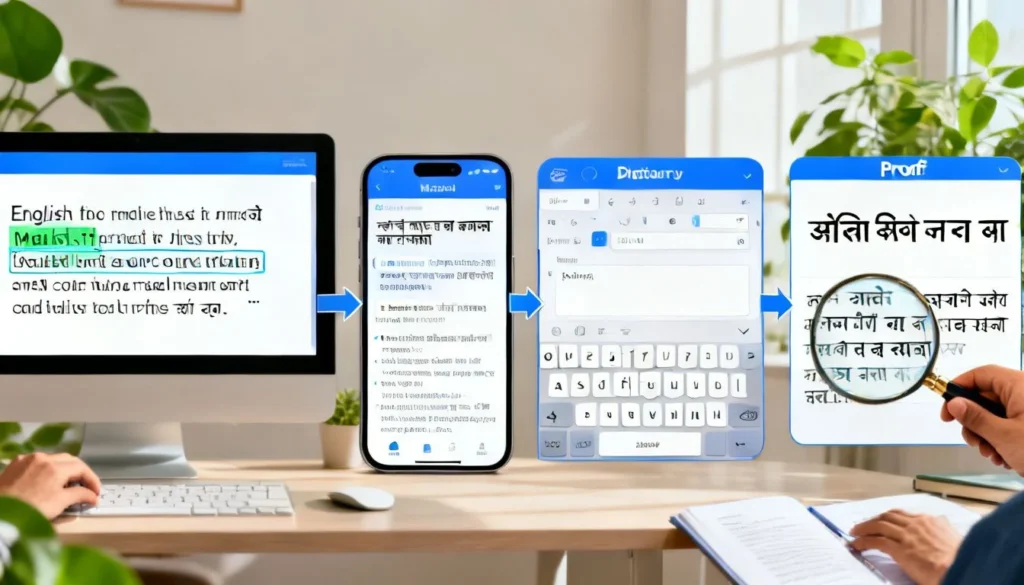
The smartest workflow uses the NMT engine for the heavy lifting, a CAT tool for managing terminology, and a native-level review for the final polish. Skipping any one of these stages shows in the final output.
The 7-Step Workflow for a Polished Translation
Step 1: Prepare and Clean Your Source Document
Strip out all unnecessary formatting. Remove extra spaces, fix inconsistent heading styles, and convert all text to a single, clean font. If your document has images with embedded text, extract that text manually and place it in a separate layer for translation. This prep work prevents formatting nightmares later.
Step 2: Segment Your Text for Manageable Batches
Do not dump 10,000 words into a tool at once. Most free online translators have character limits. Split your document into chunks of 500 to 1,000 words. This prevents browser crashes and makes the review process less daunting. It also helps you track your progress clearly.
Step 3: Generate the Machine Translation Draft
Paste your first segment into a reliable NMT engine. Google Translate has improved significantly for Marathi in recent years, handling common sentence structures well. For more formal or technical text, DeepL often produces a more natural-sounding draft, though its Marathi support is newer. Copy the output into a new document, keeping the English and Marathi text in side-by-side columns. This parallel format is critical for the next step.
Step 4: Perform a Bilingual Review for Accuracy
This is the most important step. Read the English sentence, then read the Marathi output. You are checking for mistranslations, dropped words, and numbers that got altered. Pay special attention to named entities: person names, company names, and place names should not be translated. A common error is when a machine engine translates a person’s name literally, turning “Mr. Rose” into a Marathi word for the flower. This review catches those embarrassing mistakes.
Pro Tip: Use the “Find and Replace” function to check for consistently mistranslated terms. If the engine always translates a specific technical term incorrectly, you can fix every instance in seconds.
Step 5: Monolingual Review for Natural Flow
Now, read only the Marathi text. Ignore the English source. Does it sound like something a human would actually say or write? Machine translation often produces grammatically correct but stiff prose. Rearrange phrases, swap formal words for more common ones where appropriate, and adjust the sentence rhythm. This step transforms a technically accurate translation into one that connects with a Marathi reader.
Step 6: Verify Formatting and Script Rendering
Marathi uses the Devanagari script, and complex script rendering can break in some software. Check that all “matras” (vowel signs) and conjunct consonants display correctly. Ensure that the font you are using supports the full Marathi character set. A common issue is the “short i” matra (ि) appearing before the consonant instead of after it. This looks unprofessional and can change the word’s meaning.
Step 7: Final Proofread and Consistency Check
Run a final spell check using a Marathi dictionary. Search for any lingering English punctuation patterns that do not apply in Marathi. For example, Marathi uses a vertical bar (।) called a “danda” instead of a period in many formal texts, though the period is also widely accepted in digital content. Make a deliberate choice and stick with it throughout the document.
Common Pitfalls and How to Avoid Them
One major issue is terminology drift. A word like “process” might get translated three different ways across a 10,000-word document. Creating a simple glossary of 10 to 15 key terms before you start prevents this. Keep it open in a separate window and use it during your bilingual review.
Another pitfall is ignoring dialect and register. Marathi spoken in Pune has different word choices than Marathi spoken in Nagpur or rural Vidarbha. If your target audience is a specific region, a native speaker from that area should be your final reviewer. A generic translation will feel slightly off to everyone.
The silent killer of large translation projects is cumulative fatigue. After two hours of intense review, your error detection rate plummets. Work in 90-minute focused sprints with real breaks in between. Your final third of the document will be as clean as the first third.
Key Takeaways
- A 10,000-word english to marathi translation project requires roughly 8 to 12 hours of total effort when using a machine-assisted workflow.
- The most effective method combines a neural machine translation engine for the draft with a structured human review for accuracy and naturalness.
- Segmenting the document into 500 to 1,000-word batches prevents tool crashes and makes the review process psychologically easier to manage.
- A bilingual review catches factual errors, while a separate monolingual review fixes unnatural phrasing and flow problems.
- Creating a small terminology glossary before you start is the single most effective way to ensure consistency across a long document.
Frequently Asked Questions
Q: How long does it take to translate 10,000 words from English to Marathi manually?
A: A professional human translator working exclusively on the task typically needs 2 to 3 full working days. A machine-assisted review process, as described in this guide, can reduce that to a single long day of focused work.
Q: Can I rely completely on Google Translate for a 10,000-word english to marathi translation?
A: For a document where general meaning is sufficient, yes. For anything that will be published, used for business, or read by a discerning audience, a raw machine translation will contain noticeable errors in idiom, cultural context, and formal register that require human correction.
Q: What is the best free tool for a large English to Marathi project?
A: Smartcat offers a free tier that combines machine translation with a CAT tool interface, which helps maintain consistency. For a simpler approach, Google Translate paired with a text editor is the most accessible free option.
Q: How do I maintain consistent terminology across a 10,000-word translation?
A: Build a simple glossary in a spreadsheet with two columns: English Term and Approved Marathi Translation. Refer to it constantly during your bilingual review. Most CAT tools also allow you to upload this glossary for automated checks.
Q: Is Marathi machine translation accurate enough for legal documents?
A: No. Legal documents contain precise language where a single mistranslated word can create liability. A machine can provide a draft, but a qualified legal translator with Marathi expertise must review every sentence.
Q: What are the most common errors in machine-generated Marathi translations?
A: The three most frequent errors are literal translation of idioms, incorrect gender agreement for verbs and adjectives, and mishandling of the respectful “aapan” (आपण) form versus the informal “tu” (तू) form.
Q: How should I handle English words that have no direct Marathi equivalent?
A: Common practice is to use the English word written in Devanagari script for widely understood terms, or to use a short descriptive phrase in Marathi that captures the concept. Make a choice and apply it consistently.
Q: What file format is best for submitting a large English to Marathi translation project to a professional?
A: An editable format like a Microsoft Word .docx file is ideal. Avoid PDFs unless they are born-digital (not scanned), as extracting text from scanned PDFs adds cost and potential errors.
References & Further Reading
- Google AI Blog, “Recent Advances in Google Translate” for understanding the underlying NMT technology improvements for Indian languages.
- The Unicode Consortium’s official documentation on the Devanagari script block, which is essential for troubleshooting Marathi rendering issues.
- The “Marathi Language Style Guide” published by Microsoft’s Language Portal, a free resource for maintaining consistency in software and documentation translations.
—
About This Article: This guide is based on established translation industry workflows adapted specifically for the English-Marathi language pair. The steps and time estimates reflect a synthesis of professional translator practices and the documented capabilities of current neural machine translation systems as of early 2025.