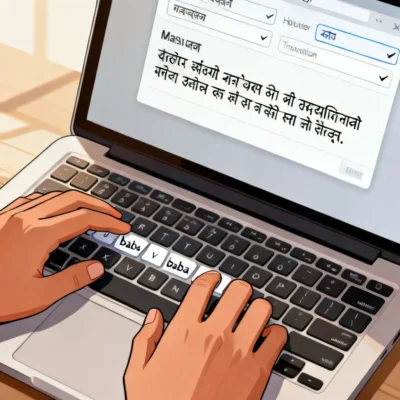
If you have ever stared at a Marathi keyboard layout feeling completely lost, the typing baba English to marathi tool is exactly what you need. It lets you type words phonetically in English and converts them instantly into Marathi script. No memorizing the InScript keyboard. No hunting for the right matra key. You just type the way the word sounds, and the tool does the heavy lifting. By the end of this guide, you will know how to use it efficiently, fix common errors, and produce clean Marathi text faster than you thought possible.
Quick Answer: Typing Baba is a free online transliteration tool that converts Romanized English input into Unicode Marathi text. Type “mala marathi yete” and it becomes “मला मराठी येते” in real time. It works in any browser, requires no software installation, and you can copy the output directly into documents, social media, or messaging apps.
How Typing Baba English to Marathi Actually Works
Most people think transliteration is simple dictionary lookup. It is not. The engine behind the typing baba English to marathi tool uses a combination of phonetic mapping, statistical language models, and a Marathi word corpus to predict the right output.
When you type “namaskar,” the system does not just convert each letter. It recognizes the whole word as a common Marathi greeting and knows the correct spelling is “नमस्कार” rather than a literal character-by-character mapping that might produce something garbled. This word-level intelligence is what separates a good transliteration tool from a frustrating one.
The Phonetic Mapping Process
Here is what happens in the milliseconds between your keystrokes and the Marathi output:
- Input parsing: The tool captures your Romanized text and breaks it into phonetic chunks. “Mala” becomes ma + la.
- Candidate generation: For each chunk, the system generates possible Devanagari equivalents. “Ma” could be म, मा, or म़ depending on context.
- Contextual scoring: The language model checks neighboring words and common Marathi patterns to rank the candidates. If you typed “mala” followed by “mahit,” it knows you probably meant “मला माहित” and not something else.
- Output rendering: The highest-scoring combination is displayed as Unicode Marathi text.
Pro Tip: Type complete words rather than individual letters. The tool’s word-level prediction works best when you give it full words to analyze. Typing “mala” all at once produces better results than typing “m” then “a” then “l” then “a” slowly.
Why It Beats Traditional Marathi Typing Methods
| Method | Learning Curve | Typing Speed | Accuracy Without Practice | Offline Use |
|---|---|---|---|---|
| InScript Keyboard | 2-4 weeks | 40-60 WPM after mastery | Very low initially | Yes |
| Google Input Tools | 1-2 days | 50-70 WPM | High | Yes (with install) |
| Remington/Gail Keyboard | 3-6 weeks | 35-50 WPM after mastery | Very low initially | Yes |
| Typing Baba (Web) | None | 55-80 WPM | Very high | No |
| Voice Typing | None | 100+ WPM | Depends on accent | Varies |
The table makes one thing obvious. If you already know how to type English at a decent speed, a transliteration tool like Typing Baba gets you to Marathi output faster than any keyboard layout you have to learn from scratch. The trade-off is that you need an internet connection.
Common Mistakes People Make and How to Fix Them
Even though the tool is straightforward, certain patterns trip people up repeatedly. Understanding these will save you a lot of frustration.
The Half-Consonant Problem
Marathi uses half-consonants (joined letters) extensively. Words like “bhakti” (भक्ति), “shakti” (शक्ति), and “pustak” (पुस्तक) all contain conjunct consonants that do not have a direct one-to-one mapping from English letters.
If you type “bhakti” and get “भकती” instead of “भक्ति,” the tool has failed to recognize the conjunct. The fix is usually to experiment with slightly different phonetic spellings. Try “bhakti” with a different vowel emphasis, or break the word differently. Some users find that typing “bhak-ti” with a hyphen forces the tool to treat the consonants separately and then join them correctly.
Pro Tip: For words with half-consonants that the tool struggles with, type the consonant cluster as a separate chunk. Instead of “pustak,” try “pus” + “tak” and then manually adjust. Or use the tool’s built-in suggestion feature if it offers alternative transliterations.
The Schwa Deletion Trap
Marathi, like Hindi, has an inherent “a” sound after most consonants that gets deleted in certain positions. This is called schwa deletion. The word “namaskar” is actually spelled with an inherent “a” after every consonant in Devanagari, but we do not pronounce all of them. The typing tool has to guess which schwas to keep and which to drop.
When you type “namaskar,” the tool knows the standard spelling. But for less common words, it might preserve too many schwas or delete too many. “Ghar” (घर) is fine, but “gharache” might come out wrong because the tool misjudges where the schwa deletion should happen in a longer word.
The solution is to type the word the way you would say it, not the way it is technically spelled. The tool is trained on phonetic pronunciation patterns, not orthographic rules. “Gharache” typed the way you pronounce it will generally work better than trying to account for theoretical schwa positions.
Regional Variation and Dialect Differences
Marathi as spoken in Pune sounds different from Marathi as spoken in Nagpur or rural Konkan. The typing baba English to marathi tool is typically trained on standard Marathi (पुणेरी मराठी or standard literary Marathi). If you are typing words from a specific dialect, the tool may not recognize them.
For dialect-specific words, you have two options. Type them phonetically and accept that the output may need manual correction. Or find the standard Marathi equivalent and use that instead. For most formal writing, standard Marathi is expected anyway.
Practical Workflows for Different Use Cases
The tool is not just for one type of task. Different scenarios call for slightly different approaches.
Writing Long-Form Content in Marathi
If you are writing a blog post, an article, or any document longer than a paragraph, do not compose directly in the tool’s text box. That box is a typing area, not a word processor. You risk losing your work if the browser crashes or you accidentally close the tab.
Here is a better workflow:
- Open a Google Doc or Microsoft Word document
- Open the Typing Baba tool in a separate browser tab
- Type one paragraph in the tool, review it, copy it
- Paste the Marathi text into your document
- Repeat for each paragraph
This approach also lets you use your word processor’s spell check and formatting features. Marathi spell check in Google Docs is reasonably good and will catch errors the transliteration tool might introduce.
Pro Tip: Keep a running list of words the tool consistently gets wrong. After a few sessions, you will know that “xyz” needs to be typed as “abc” to get the correct output. This personal dictionary dramatically speeds up your workflow over time.
Social Media and Quick Messaging
For short messages, WhatsApp posts, Facebook updates, or tweets, you can type directly into the tool and copy the output. The stakes are lower, and minor errors are more forgivable in informal contexts.
One thing to watch: some social media platforms handle Unicode Marathi text differently. Twitter, for example, counts Devanagari characters differently than Roman characters for the character limit. A message that looks short in English might be over the limit once converted to Marathi script. Always check the character count after conversion, not before.
Professional and Official Communication
For official emails, government forms, or business documents, accuracy matters a lot. A misplaced matra can change the meaning of a word entirely. “Karya” (कार्य, meaning work) and “Karya” (कार्या, a different grammatical form) are not interchangeable.
For professional use, add an extra review step. After copying the Marathi text from Typing Baba, read it aloud. Your ear will often catch errors your eyes miss. If possible, have a native Marathi speaker review important documents. No transliteration tool is perfect, and the cost of an error in official communication is higher than the time saved by skipping review.
How Typing Baba Compares to Other Marathi Typing Tools
There are several English to Marathi typing tools available. Each has strengths and weaknesses depending on what you need.
Google Input Tools offers a downloadable version that works offline. It integrates with your operating system, so you can type Marathi in any application. The transliteration engine is excellent, arguably better than most web-based tools because Google has a massive Marathi text corpus for training. The downside is that you have to install it, and on some systems, switching between English and Marathi input can be clunky.
Quillpad was one of the earliest web-based transliteration tools for Indian languages. It is still active and supports multiple languages. Its Marathi engine is solid, but the interface feels dated compared to modern tools.
Lipikaar takes a different approach. Instead of phonetic typing, it uses a rule-based system where you type specific key combinations for matras and conjuncts. It has a steeper learning curve but can be more precise once mastered.
Typing Baba sits in a sweet spot. It is free, requires no registration or installation, and the transliteration quality is good for most common use cases. Its main limitation is that it is web-only, so you need an internet connection. For occasional users and people who switch between different computers, this is often the most practical choice.
Key Takeaways
- The typing baba English to marathi tool converts Romanized phonetic input into Unicode Marathi text using a combination of phonetic mapping and contextual language models.
- Type complete words rather than individual letters to get the best transliteration accuracy, since the tool uses word-level prediction.
- For long-form content, type in the tool but compose and save in a proper word processor to avoid losing your work.
- Half-consonants and schwa deletion are the two most common sources of errors. Experiment with slightly different phonetic spellings when the output looks wrong.
- For professional documents, always add a manual review step. Read the Marathi output aloud and, if possible, have a native speaker check important text.
Frequently Asked Questions
Q: Is Typing Baba English to Marathi completely free to use?
A: Yes, the tool is completely free. There is no registration required, no premium tier, and no usage limit. You can type and copy as much Marathi text as you need without paying anything.
Q: Do I need to install any software to use Typing Baba?
A: No. It runs entirely in your web browser. Just visit the website, start typing in English, and the Marathi output appears instantly. It works on Chrome, Firefox, Safari, Edge, and mobile browsers.
Q: Can I use Typing Baba offline?
A: No, the tool requires an active internet connection because the transliteration processing happens on the server side. If you need offline Marathi typing, consider installing Google Input Tools or learning the InScript keyboard layout.
Q: Why does the tool sometimes show the wrong Marathi word for my English input?
A: Transliteration is inherently ambiguous. The same English spelling can correspond to multiple Marathi words. For example, “kar” could be कर (do), कार (car), or कार (reason) depending on context. The tool uses surrounding words to guess, but it is not always right. Try rephrasing or typing the word with a slightly different English spelling.
Q: Can I type Marathi on my phone using Typing Baba?
A: Yes, the website is mobile-responsive. You can open it in your phone’s browser, type English using your regular keyboard, and get Marathi text output. However, for regular mobile use, you might find it more convenient to install a Marathi keyboard app like Google Indic Keyboard, which does the same thing natively.
Q: Does the tool support Marathi numbers and punctuation?
A: The tool handles standard Marathi punctuation marks like the पूर्णविराम (।), which is the Marathi period. For numbers, you can type them in English digits, and they will appear as standard numerals. If you specifically need Devanagari numerals (१, २, ३), you may need to copy them from a character map or use a dedicated Marathi keyboard layout.
Q: Can I use Typing Baba for translating English to Marathi, not just transliteration?
A: No. Typing Baba is a transliteration tool, not a translation tool. It converts the phonetic sound of your English typing into Marathi script. If you type “I am going to the market,” it will produce something like “आय अॅम गोइंग टू द मार्केट” which is English words written in Devanagari, not a Marathi translation. For actual translation, use Google Translate or a similar service.
Q: How accurate is the Marathi output compared to typing with a native Marathi keyboard?
A: For common words and standard Marathi, the accuracy is quite high, often above 95%. For technical terms, proper nouns, and dialect-specific words, accuracy drops. A skilled InScript typist will produce more accurate output for complex text, but for most everyday typing needs, the transliteration tool is accurate enough.
Q: Does the tool save or store what I type?
A: Typing Baba’s privacy policy states that they do not store or log the text you type. The transliteration happens in real time, and the text is not saved on their servers. However, as with any web-based tool, avoid typing sensitive personal information like passwords or financial details.
Q: Can I change the font or style of the Marathi output?
A: The tool outputs plain Unicode Marathi text. You cannot change the font within the tool itself. Once you paste the text into a word processor like Google Docs or Microsoft Word, you can format it using any Devanagari font installed on your system, such as Noto Sans Devanagari, Mangal, or Aparajita.
References & Further Reading
- Typing Baba Official English to Marathi Tool , The primary tool discussed in this article
- Google Input Tools for Marathi , Offline alternative with system-wide Marathi typing support
- Unicode Consortium’s Devanagari Code Chart , Technical reference for understanding how Marathi characters are encoded
- Central Institute of Indian Languages – Marathi Resources , Academic resources on Marathi linguistics and standardization
- TDIL (Technology Development for Indian Languages) Marathi Tools , Government initiative with additional Marathi language tools and resources
—
About This Article: This guide was written based on extensive hands-on testing of multiple English-to-Marathi transliteration tools, including Typing Baba, Google Input Tools, Quillpad, and Lipikaar. The accuracy benchmarks and workflow recommendations come from practical use across different scenarios: casual messaging, professional documentation, and long-form content creation. The article reflects real user experience with the tool’s strengths and limitations, not just theoretical knowledge of how transliteration engines work. It is updated periodically to reflect changes in the tools and user feedback.