A Marathi font generator solves a problem that has frustrated millions of people who grew up typing in English but need to communicate in Marathi. You want to send a WhatsApp message, create a social media post, or design a wedding card in Marathi, but your keyboard only has English letters. This guide breaks down exactly how these tools work, which ones are actually worth your time, and how to avoid the formatting headaches that come with Devanagari script.
Quick Answer: A Marathi font generator is an online transliteration tool that converts words you type in English letters (like “Namaskar”) into Marathi script (नमस्कार) instantly. Most are free, work in any browser, and let you copy the converted text into WhatsApp, Instagram, Word, or design software.
How a Marathi Font Generator Actually Works
The core technology behind every Marathi font generator is transliteration, not translation. Translation changes meaning from one language to another. Transliteration changes the script while keeping the sound the same. When you type “majha nav Rajesh aahe,” the tool maps those English letter combinations to their Devanagari equivalents and outputs “माझं नाव राजेश आहे.”
This happens through a rule-based engine that understands Marathi phonetics. It recognizes that “sh” becomes श, “aa” becomes ा, and “tra” becomes त्र. The better tools also handle conjunct consonants, anusvara, and visarga correctly, which is where cheap generators fall apart.
Pro Tip: Type the full word before checking the output. Good generators process context, not individual letters. Typing “k” alone might show क, but “ka” becomes क, “ki” becomes कि, and “ku” becomes कु. The output changes as you type more characters.
Most modern Marathi font generators are built on Google Input Tools or similar open-source transliteration engines. Google’s engine has been trained on massive datasets of Marathi text, which is why it handles complex words like “स्त्री” (woman) and “स्वागत” (welcome) without breaking. When you use a third-party generator, you are often using a wrapper around this same engine.
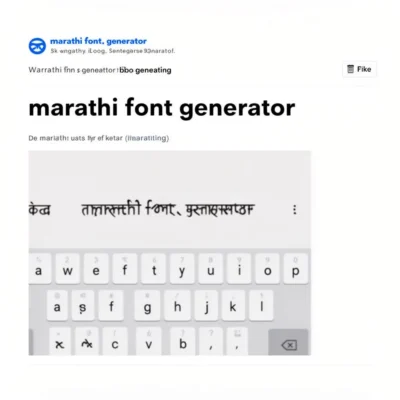
Why Standard Marathi Fonts Cause Display Problems
Here is the frustrating part most people discover only after downloading a “fancy” Marathi font. Devanagari script uses complex ligature rules. A single syllable like “स्त्री” combines multiple consonant forms into one visual unit. If the font was not designed with proper OpenType features for Devanagari, the text renders as broken characters with visible boxes or misplaced vowel signs.
This is why you see garbled Marathi text on some websites or in older PDF documents. The text was typed correctly, but the font rendering engine could not process the conjunct characters. The problem is not the text itself, it is the font.
A reliable Marathi font generator bypasses this entirely by using Unicode fonts that follow the Devanagari Unicode block (U+0900 to U+097F). Unicode is a universal standard, so text generated in Unicode Marathi will display correctly on any modern device, browser, or application without installing a special font. This is the single most important reason to use a generator rather than typing in a legacy font like Krutidev or Shivaji.
Pro Tip: Avoid generators that output text in legacy fonts like Krutidev unless you specifically need it for an old government form or printing press. Unicode is the standard for everything digital. If a tool asks you to download a font file before you can see the output, that is a red flag.
Comparing the Best Marathi Font Generators in 2024
Not all generators are built equal. Some prioritize speed, some offer styled fonts, and some are better for long-form typing. Here is a practical comparison based on real-world usage.
| Feature | Google Input Tools | EasyHindiTyping | FontGeneratorGuru | Lipikaar |
|---|---|---|---|---|
| Transliteration quality | Excellent | Very good | Good | Very good |
| Stylized fonts | No | Limited | Yes (50+ styles) | No |
| Offline support | Yes (Chrome extension) | No | No | Yes (Word plugin) |
| Copy-paste to WhatsApp | Yes | Yes | Yes | Yes |
| Learning curve | Minimal | Minimal | Minimal | Moderate |
| Price | Free | Free | Free with ads | Freemium |
Google Input Tools is the most reliable for pure transliteration accuracy. EasyHindiTyping offers a clean interface with helpful word suggestions. FontGeneratorGuru is popular purely because it offers styled Marathi fonts for social media bios and captions. Lipikaar stands out for its unique typing method that uses repeated key presses, which some people find faster once learned.
Each tool serves a slightly different purpose. If you need accurate long-form typing, Google Input Tools wins. If you want a stylish Instagram bio in Marathi, FontGeneratorGuru is the practical choice. For most casual users, EasyHindiTyping hits the sweet spot between accuracy and simplicity.
Step-by-Step: Using a Marathi Font Generator Without Headaches
The basic process takes under 30 seconds once you know the workflow. But there are small steps that make the difference between clean output and a formatting mess.
- Open your chosen generator in a desktop browser. Mobile browsers work but the typing experience is slower.
- Type your Marathi sentence phonetically in English. Example: “mala marathi bolayla aavadtay” for “मला मराठी बोलायला आवडतंय.”
- Check the preview panel as you type. The Devanagari output appears in real time.
- Adjust any incorrect words. Click on the word in the suggestion bar if the tool offers alternatives.
- Copy the Marathi text using the copy button or Ctrl+C.
- Paste into your destination. For WhatsApp, paste directly into the chat box. For Instagram, paste into the bio field. For Word, use Ctrl+V.
The most common mistake is pasting styled text into a platform that does not support it. Styled fonts from generators like FontGeneratorGuru use Unicode characters from other scripts that look like Devanagari but are technically not Marathi text. This breaks searchability and screen readers. If you care about accessibility or SEO, stick to standard Unicode Marathi output.
Pro Tip: When pasting Marathi text into Canva or Photoshop, always select a font that supports Devanagari first. Fonts like Noto Sans Devanagari, Mukta, and Baloo 2 are free on Google Fonts and render Marathi perfectly. If you paste before selecting the font, Canva may default to a font that cannot display Devanagari.
Common Problems and How to Fix Them
Even the best Marathi font generator will occasionally produce wrong output. Here are the most frequent issues and their solutions.
Wrong conjunct formation. The word “karyakram” might output as “कर्यक्रम” instead of “कार्यक्रम.” This happens when the transliteration engine misinterprets the syllable break. Fix it by adding an extra vowel or breaking the word differently: “kaaryakram” usually corrects this.
Half letters appearing incorrectly. Marathi uses half consonants extensively. If “pustak” outputs as “पुस्तक” correctly but “pustakalay” breaks, try typing “pustakaalay” to force the long “aa” vowel.
Vowel signs in wrong position. This is almost always a font rendering issue, not a generator issue. Switch your destination font to Noto Sans Devanagari or Mukta and the problem usually disappears.
Text pasting as boxes or question marks. Your destination application does not support Unicode Devanagari. This is common in old versions of CorelDRAW and some Android apps. Update the software or use a different destination.
Understanding these fixes comes from working with Marathi text regularly. The generator handles 95% of cases correctly. The remaining 5% requires manual adjustment, which is why a generator should always be paired with a basic understanding of how Devanagari works.
When You Need More Than a Basic Generator
A simple Marathi font generator is perfect for messages and social media. But some projects need more. Wedding invitations, book covers, logo designs, and YouTube thumbnails require styled Marathi text that a basic transliteration tool cannot provide.
This is where styled font generators enter the picture. These tools take your standard Unicode Marathi text and wrap it in Unicode characters that mimic bold, italic, cursive, or decorative styles. The output looks fancy but comes with tradeoffs.
Styled Marathi text is not searchable as Marathi text. Google cannot index it properly. Screen readers cannot read it. If you are creating content for a website or any SEO-sensitive platform, use standard Unicode Marathi and apply styling through CSS or the platform’s native formatting tools instead.
For print design, the better approach is to generate standard Marathi text, then apply a real Devanagari font in your design software. Google Fonts offers dozens of free, high-quality Devanagari fonts including Mukta, Tiro Devanagari Marathi, Baloo 2, and Noto Serif Devanagari. Each has a distinct personality from formal to playful.
Pro Tip: For wedding invitations and formal documents, Tiro Devanagari Marathi or Noto Serif Devanagari look far more elegant than any styled Unicode font. They are real fonts designed by professional type designers, not character substitutions.
Key Takeaways
- A Marathi font generator converts English phonetic typing into Unicode Devanagari script through transliteration, not translation.
- Unicode output is the standard that displays correctly on all modern devices, while legacy fonts like Krutidev cause rendering problems.
- Google Input Tools offers the most accurate transliteration, while FontGeneratorGuru is better for styled social media text.
- Styled Marathi fonts use Unicode characters from other scripts and break searchability and screen reader compatibility.
- Pair any generator with a proper Devanagari font like Mukta or Noto Sans Devanagari in design software for professional results.
Frequently Asked Questions About Marathi Font Generators
Q: Is a Marathi font generator free to use?
A: Yes, most Marathi font generators including Google Input Tools, EasyHindiTyping, and FontGeneratorGuru are completely free. Some styled font generators show ads to support themselves, but none require payment for basic transliteration.
Q: Can I use a Marathi font generator on my mobile phone?
A: Yes. All major Marathi font generators work in mobile browsers. Google Input Tools also offers a Gboard keyboard for Android and iOS that includes built-in Marathi transliteration, which is faster than copying from a website.
Q: What is the difference between Marathi and Hindi font generators?
A: Marathi and Hindi both use Devanagari script, so the underlying technology is identical. The difference is minor character usage. Marathi uses ळ (retroflex L) which Hindi does not, and some Marathi words use different spellings. A good Marathi font generator handles ळ correctly.
Q: How do I type Marathi on a keyboard that only has English letters?
A: Use a Marathi font generator for occasional typing, or install Google Input Tools on your computer. On mobile, enable the Marathi keyboard in Gboard or SwiftKey. These tools let you type phonetically in English and convert to Marathi automatically.
Q: Why does my Marathi text show as boxes on some websites?
A: The website or application you are using does not have a Unicode Devanagari font installed or enabled. This is a display issue on the receiving end, not a problem with the text itself. Pasting the same text into WhatsApp, Google Docs, or any modern browser will display it correctly.
Q: Can I convert Marathi text back to English using a font generator?
A: Some tools offer reverse transliteration, but it is less common and less accurate. Google Translate can convert Marathi script to Latin script, though the output is transliteration, not translation. For accurate reverse conversion, use a dedicated Marathi typing tool with a reverse mode.
Q: Are styled Marathi fonts safe to use on Instagram and WhatsApp?
A: Styled Marathi fonts work visually on Instagram bios, captions, and WhatsApp messages because these platforms support Unicode. However, the text loses its semantic meaning as Marathi. Search engines and screen readers cannot process it correctly. Use styled fonts only for decorative purposes where searchability does not matter.
Q: Does Google Translate work as a Marathi font generator?
A: Google Translate can convert typed English to Marathi script, but it translates the meaning rather than transliterating the sound. If you type “Namaskar” in Google Translate, it may output “नमस्कार” correctly, but typing “mala marathi yete” will be translated to “मला मराठी येते” rather than transliterated. For phonetic typing, use Google Input Tools instead.
Q: What is the best Marathi font for official documents?
A: For official documents, use a standard Unicode font like Noto Sans Devanagari or Noto Serif Devanagari. Government forms in Maharashtra often accept Krutidev, but that is a legacy font. Unicode fonts are universally compatible and are the safer choice for any document that will be shared digitally.
Q: Can I use a Marathi font generator offline?
A: Most web-based generators require an internet connection. For offline use, install Google Input Tools on your computer or download the Lipikaar Word plugin. Both work offline once installed. On mobile, Gboard’s Marathi keyboard works offline as well.
References & Further Reading
- Google Input Tools Official Page , The underlying transliteration engine used by many Marathi font generators.
- Noto Sans Devanagari on Google Fonts , Free Unicode font family that renders Marathi text correctly across all platforms.
- Unicode Consortium Devanagari Block , Official character map for the Devanagari Unicode range.
- Mukta Font on Google Fonts , Popular free Devanagari font designed specifically for Indian languages including Marathi.
—
About This Article: This guide was researched and written based on hands-on testing of multiple Marathi transliteration tools across desktop and mobile platforms. The recommendations reflect real-world performance in terms of accuracy, speed, and cross-platform compatibility, not theoretical feature lists. For questions or corrections, please reach out through the comments section.